
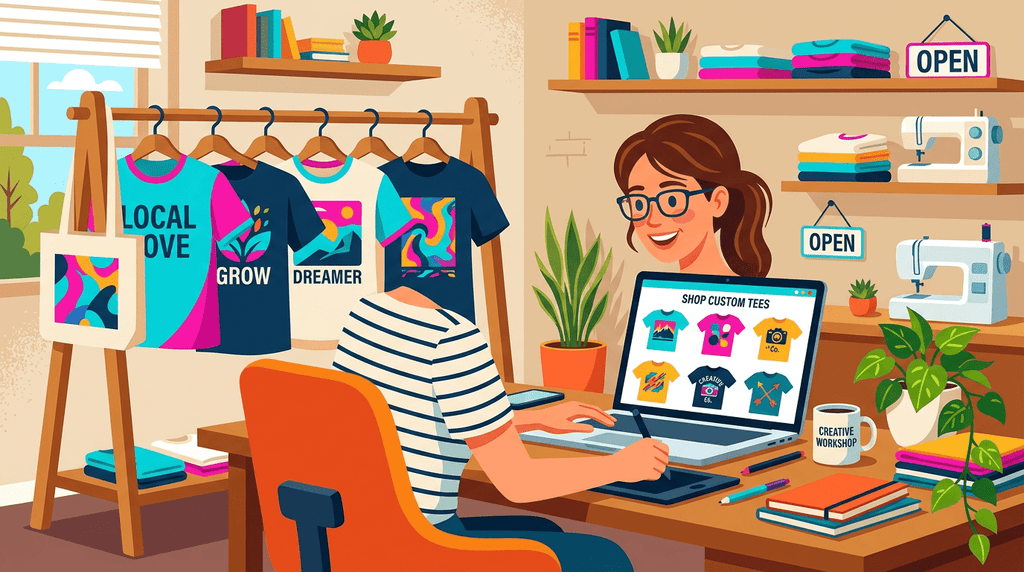
A few years ago, getting a professional-grade custom apparel design meant hiring a graphic designer, waiting a week for revisions, and spending $200 before a single shirt was printed. Today, small business owners are generating compelling, print-ready concepts in an afternoon using AI tools that cost less per month than a tank of gas. We've seen this shift firsthand at The Loyal Brand. Orders are coming in with AI-generated artwork attached, and the quality keeps getting better. The trend is real, and it's worth understanding exactly how it works before you assume it either solves everything or changes nothing.
The short version: AI helps you arrive at your printer with a better design. It does not replace your printer. That distinction matters more than any specific tool recommendation, and we'll get into why.
If a holiday order calls for something loud instead of clean, our ugly Christmas sweater design guide covers the clashing-colors, oversized-graphics approach and what happens when it goes to print.
The Real AI Workflow Most Small Businesses Are Using
The AI custom apparel design workflow that actually works in 2026 is not complicated, but it does require knowing which tools to use for which step. Most small businesses are running some version of this sequence:
- Generate a concept. Use an AI image generator (Midjourney, DALL-E, Adobe Firefly, Kittl's AI generator) to produce a visual starting point. This is where you describe your idea in a prompt and let the model produce options.
- Refine the prompt. The first output is rarely the final output. Iteration is the job. Many business owners use ChatGPT or Perplexity to write and improve their prompts before feeding them into image tools, which cuts down on wasted attempts.
- Clean up or vectorize the file. AI images are raster files. Depending on your print method, you may need a vector version (SVG or EPS) for clean scaling. Tools like Adobe Illustrator's Image Trace, Vectorizer.ai, or a skilled designer can handle this step.
- Send to the printer with correct specs. Each print method has different file format requirements. This is where the AI workflow connects to the real world, and where most first-timers run into friction.
We've written in detail about how this plays out across different tools, if you want the hands-on version. Check out we tested the top AI design tools so you don't have to.
The workflow above sounds linear, but in practice it's more of a loop. You generate, evaluate, adjust, and regenerate. The speed advantage AI offers is real, but the skill of writing good prompts, knowing what makes a design printable, and understanding your target customer still determines whether the output is any good.
The Best AI Design Tools for Custom Apparel
Not every AI design tool is built with apparel in mind. The five tools most commonly used by small businesses in 2026 each have distinct strengths, and picking the right one depends on your skill level and what you're trying to produce.
| Tool | Best Use Case | Learning Curve | Print-Ready Output? |
|---|---|---|---|
| Midjourney | Artistic, visually striking graphics with detailed textures and style | Moderate (prompt craft matters) | Raster only; 300+ DPI possible |
| Canva AI | Quick concepts for non-designers; good for text-heavy layouts | Low (most beginner-friendly) | PNG/PDF; may need cleanup |
| Kittl | Apparel-focused design; built-in DTF-optimized exports and typography tools | Low to moderate | Yes, including DTF-ready formats |
| Adobe Firefly | Commercially safe AI images; integrates with Illustrator and Photoshop | Moderate (Adobe ecosystem) | Best path to vector output |
| ChatGPT / Perplexity | Prompt writing, niche research, trend analysis, not image generation | Very low | No (text research tool only) |
Kittl stands out for anyone focused specifically on apparel. It was built with creators in mind, not general graphic design, and that shows in the export options. Midjourney produces the most visually impressive raw output, but the files require more work before they're ready to send to a printer. If you're just starting out with AI t-shirt design for a small business, Canva AI is probably the place to begin.
A note on ChatGPT and Perplexity: these are research and writing tools, not image generators. Their value in the apparel workflow is in helping you think through your brand positioning, identify trending niches, and write sharper prompts for image tools. Plenty of small business owners skip this step and then wonder why their AI images feel generic. The prompt is the design brief. Spend time on it.
What AI Can't Do (And Where Your Printer Comes In)
AI generates concepts. It does not print shirts. That sounds obvious, but the distinction has real consequences for your workflow, your file quality, and your expectations.
Here's what AI tools cannot do, regardless of how good they get:
- Guarantee a file is the correct format for your specific print method
- Separate colors for screen printing
- Remove backgrounds cleanly enough for DTF without manual work
- Ensure your design will look right on fabric, not just on a screen
- Account for the physical constraints of embroidery (minimum stitch sizes, detail limits, color counts)
We've had customers send us Midjourney outputs with incredible detail, fine gradients, and 14 distinct colors. Those files look stunning on a monitor. They also require significant preparation before they can go on a screen printing press, because screen printing works with separated color layers, not full-color raster images. The AI had no way of knowing that. Your printer does.
This is one of the reasons working with an experienced print shop still matters in 2026, even when AI is handling the visual concept stage. If you want our honest perspective on how this shift is affecting the industry, read our honest take on AI and screen printing.
File Formats and Print Method Reality
One of the most common friction points when small businesses try to use artificial intelligence clothing design tools in a real production workflow is file format. Every print method has different requirements, and AI tools don't know which method you've chosen.
Screen Printing
Screen printing requires separated spot colors. Your AI image generator produces a full-color raster file. Before a screen printing shop can use your design, it typically needs to be converted to vector format and have colors separated. Files should be delivered as AI or EPS with outlined text and separated layers. Designs with photographic gradients are expensive to screen print, sometimes prohibitively so for small runs.
DTF (Direct-to-Film)
DTF is the most forgiving method for AI-generated artwork. Full-color, photographic detail, gradients, and complex backgrounds can all be handled. You'll want a high-resolution PNG (at least 300 DPI at print size) with a transparent background. Kittl specifically exports in DTF-optimized formats, which is one reason it's become popular with small business apparel creators.
Embroidery
Embroidery digitizing is a separate step entirely. Your AI image cannot go directly to an embroidery machine. The design needs to be converted into a stitch file (DST, PES, or similar) by a digitizer. Fine detail, thin lines, and very small text often get lost in this process. Simpler, bolder designs work better for embroidery.
Heat Transfer
Similar to DTF in terms of artwork requirements. High-resolution PNG with transparent background, at least 300 DPI. The main consideration is that heat transfer prints can feel heavier on the fabric than DTF, and this affects design choices like fine line weight.
Ordering shirts for a team, school, or event?
Skip the sizing guesswork. Send us your group and we'll spec the right blanks and sizes, then quote it.
Get a Free QuoteHow to Get Your AI Design Print-Ready
Once you have an AI-generated concept you're happy with, here's a practical path to getting it ready for production:
- Check your resolution. Export at the highest resolution available. For most AI tools, this is 300 DPI or higher. If the tool only exports at 72 DPI screen resolution, that file will print blurry.
- Remove the background. Most AI images generate with a background. Use a tool like Remove.bg, Photoshop, or the background removal feature in Canva to isolate your design on a transparent background (saved as PNG).
- Vectorize if needed. For screen printing or any design that needs to scale cleanly, trace your raster image to vector using Adobe Illustrator, Inkscape, or a service like Vectorizer.ai.
- Check color count. If you're screen printing, count your colors. Each color is a separate screen, and pricing scales accordingly. Consider simplifying your design if you're over four or five colors on a small run.
- Confirm print dimensions. A common mistake is sending a file without specifying the intended print size. A 10-inch chest print and a 4-inch chest print are very different, and the printer needs to know which one you want.
If you're unsure what's currently selling as a design style, we track this closely. See what's actually selling in 2026 based on what we're printing across thousands of orders.
Working With a Print Shop After AI Design
Getting your AI design to a print shop is not the finish line. It's the start of the production conversation. The better prepared your files are when you arrive, the faster and cheaper your order goes.
A few things that make the process smooth:
- Tell your printer how the design was made. AI-generated files sometimes have artifacts that aren't obvious at first glance. Knowing the source helps the shop know what to look for.
- Ask for a proof before printing. Always. A digital proof shows how the design will look in the intended print area on the garment, and it's your last checkpoint before ink hits fabric.
- Specify your garment. The same design can look very different on a 100% cotton tee versus a 50/50 blend, or on black versus white. Your print shop needs this to optimize the output.
- Understand minimum order requirements. Screen printing becomes cost-effective at higher quantities. DTF and heat transfer work well for smaller runs. AI design does not change these economics.
At The Loyal Brand, we work with customers at every stage of the design process. Some come in with a fully prepped file. Others come in with an AI concept that needs work before it's ready to print. Either way, we know what we're looking at, and we can tell you exactly what the file needs. We handle screen printing, DTF, embroidery, and heat transfer, serving customers across the country from our Saint Augustine, FL shop.
If you're ready to take an AI design through to actual production, browse our apparel catalog, email us at info@theloyalbrand.com, or call 410-861-0633.
Frequently Asked Questions
Can I send an AI-generated image directly to a print shop?
Sometimes, yes, but it depends on the print method and the file quality. DTF printing is the most compatible with AI-generated PNG files, provided the resolution is high enough (300 DPI at print size) and the background is removed. Screen printing almost always requires additional preparation, including vectorization and color separation. Embroidery always requires a separate digitizing step. The safest approach is to send your file to the print shop and ask for a review before committing to a full order.
Which AI tool produces the best designs for custom t-shirts?
It depends on your skill level and print method. Kittl is purpose-built for apparel and exports in DTF-ready formats, making it the most practical choice for most small business owners. Midjourney produces the most visually sophisticated output, but requires more post-processing. Canva AI is the easiest starting point if you're not a designer and need to produce something quickly.
Do I need to copyright my AI-generated designs before printing?
Copyright law around AI-generated imagery is still evolving in 2026. In the United States, the Copyright Office has generally required a human creative element for copyright registration, meaning purely AI-generated images may not be protectable on their own. If you've significantly modified or added to an AI-generated concept, that human contribution may be registerable. For commercial use, it's worth consulting an intellectual property attorney if the design will be central to your brand. Also confirm that your AI tool's terms of service permit commercial use of outputs.
How is AI being used for trend research in apparel, not just design?
Several tools have become useful here. Google Trends helps identify search interest around specific apparel niches, styles, or themes. ChatGPT and Perplexity are being used by small business owners to research what's selling in adjacent markets, brainstorm product concepts, and evaluate whether a niche is crowded or underserved. This research layer, before any image is generated, is where AI adds significant value for businesses trying to design apparel that actually sells, not just apparel that looks good.
Start With the Right Tools, Finish With the Right Printer
AI design tools have genuinely lowered the barrier to entry for custom apparel. Small businesses that once had no design budget can now generate compelling concepts in hours, not weeks. That's a real shift, and we think it's a good one.
The part that hasn't changed is production. Getting a design from concept to finished garment still requires the right file, the right print method, and a print shop that knows what it's doing. That's been our job for years, and it remains our job now, regardless of whether the design started as a hand sketch or a Midjourney prompt.
If you have an AI design and want to know what it takes to print it, reach out. We're easy to talk to, and we'll tell you exactly what we see when we open your file.


